
Premagic lets you generate QR Code files for your guest gallery link as well.
-
Login to your Premagic account using web application - app.premagic.com
-
Go to the Events page and select the concerned event. If the event has not been created, you can create the event using "Add Event" button on Events page - top right corner

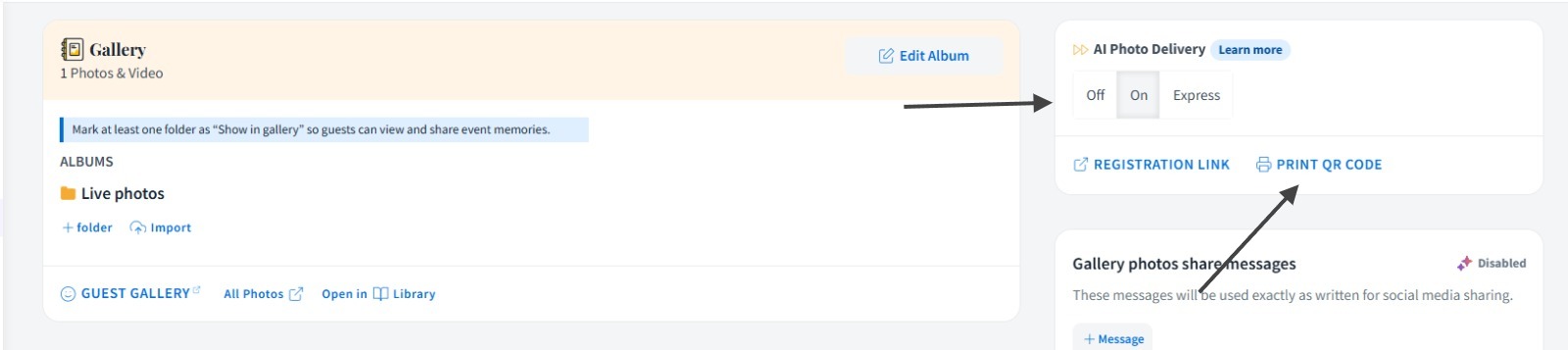
On the Event page, go to photos tab >> Click on "PRINT QR CODE". Please ensure that the AI Photo delivery is turned on, if not done already. It can be turned on from the same page.
Clicking on "PRINT QR CODE" will take you to a new page. All you have to do is - add "?url=" towards the end of the url and click enter to refresh the QR Code.
You can get the guest gallery link from photos tab.

For further queries, reach out to your dedicated AM or write to us at support@premagic.com.